
Release notes: Inception CRM 2026.3 for iOS helps field teams use their time more effectively by showing how far away customers are, displaying institution addresses directly in Search, and reducing repeated data entry when placing repeat orders.
The release also brings Apple’s new Liquid Glass design to the app, alongside bug fixes, improvements, and optimizations.
A new look built for iOS 26
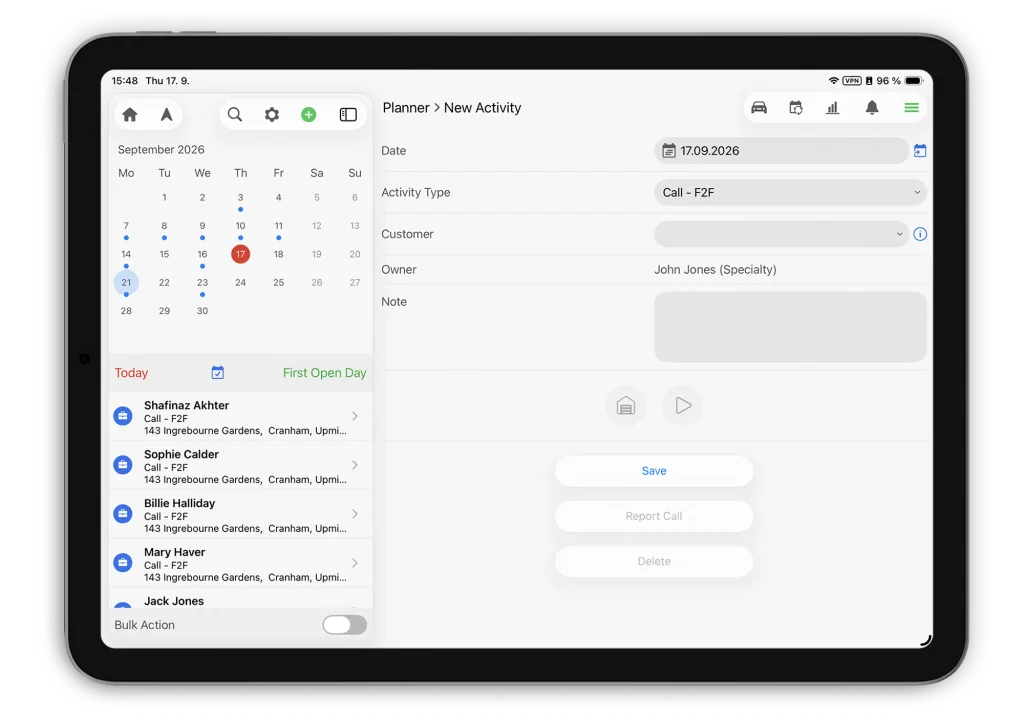
Inception CRM 2026.3 adopts Apple’s new Liquid Glass design across the iOS app.
Users on iOS and iPadOS 26 will see an updated visual design, navigation, and controls that are more consistent with Apple’s own system apps.
The result is a more familiar, native-feeling experience for reps already working on the latest version of iOS.
Find nearby customers faster
Field teams often need to adjust plans during the day. If a meeting ends early or a rep has time between visits, the key question is simple: which customers are nearby?
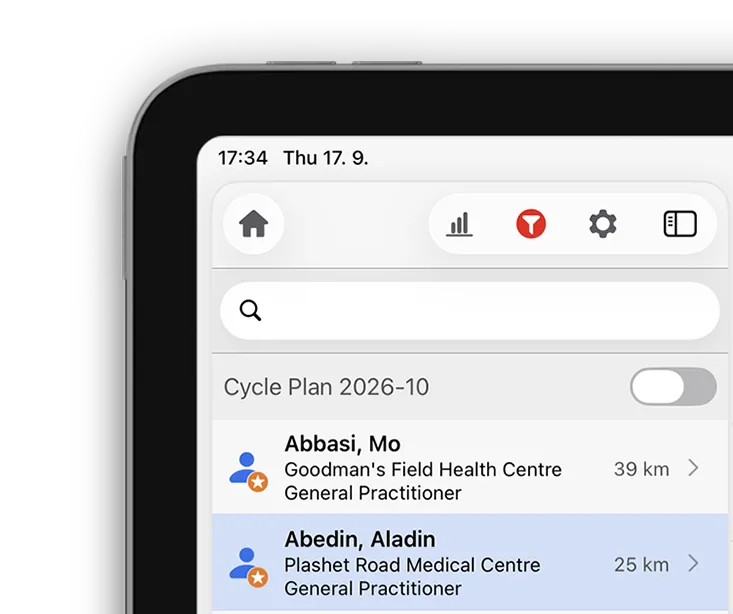
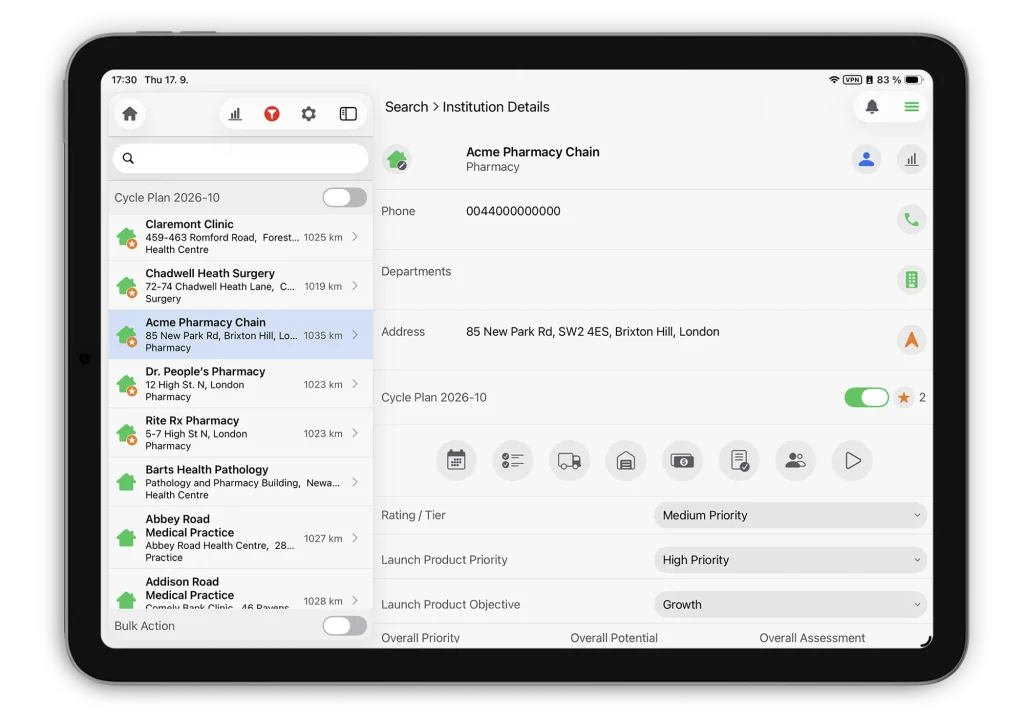
The Search list now shows how far away each customer is from the rep’s current GPS position.
This makes it easier to spot nearby customers, plan unscheduled visits, and reorganize the day without opening individual records one by one.
Distances are shown when location access is enabled for the app.
Identify the right institution at a glance
Pharmacy chains and other institutions can have several locations with similar or identical names. Without the address visible, reps may need to open several records before finding the right one.
The Search list can now show an institution’s address directly in the list, on the second, third, or fourth line of the row depending on your company’s configuration.
Combined with the new distance information, reps can now see which institution they are looking at, where it is, and how far away it is before opening the record.
Place repeat orders with way less data entry
Pharmacies often reorder using many of the same details as their previous order. Re-entering that information every time slows reps down and creates more opportunities for mistakes.
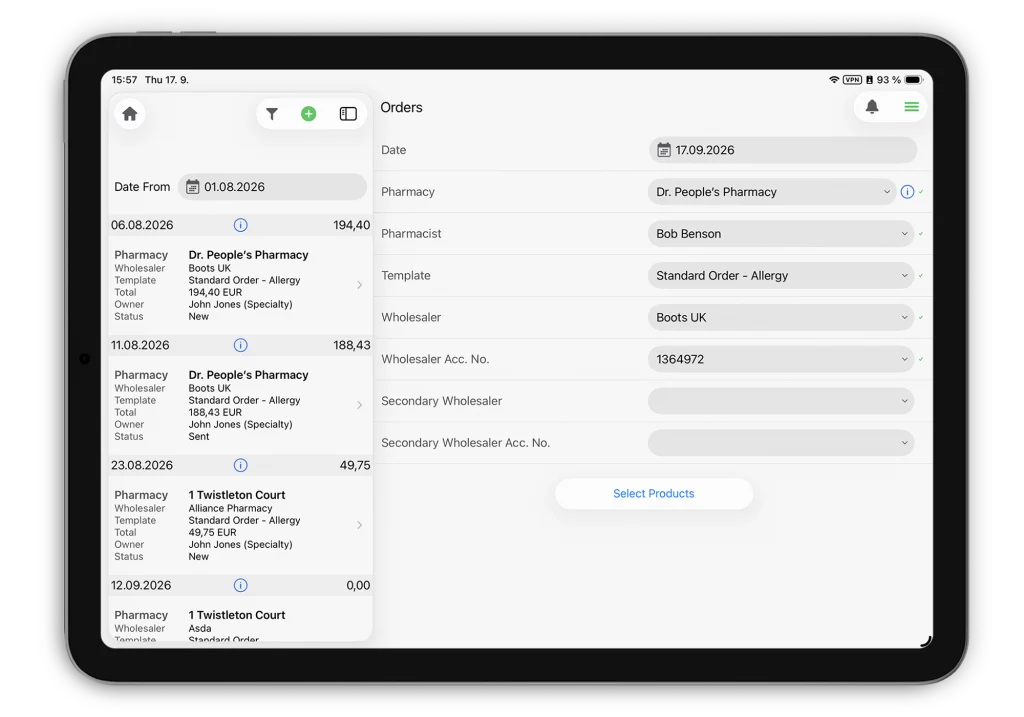
Administrators can now configure Inception CRM to pre-fill the header of a new order using data from the last order placed for that pharmacy.
When a rep starts a new order and selects the pharmacy, the relevant header information is filled in automatically. The rep can then add the required order lines as usual.
This reduces repetitive data entry and helps reps create repeat orders faster and more accurately.