

Migration of pharma CRM data is usually the point where conversations slow down. Teams start out focused on what a better system could do, then shift quickly into concerns about how difficult it will be to move their data across to a new system.
This is what keeps a lot of companies in systems like Veeva, IQVIA, and Salesforce‘s Agentforce Life Sciences that don’t align with their real world requirements.
In practice, pharma CRM data migration is not an open-ended programme. It’s a defined step within the switch. The scope is agreed, the data is prepared, and the system is moved over. For most mid-sized pharma companies, data migration only takes about 2 weeks. It’s all planned, executed, and completed without dragging on.
What often takes longer than the migration itself is the actual decision to switch CRMs.
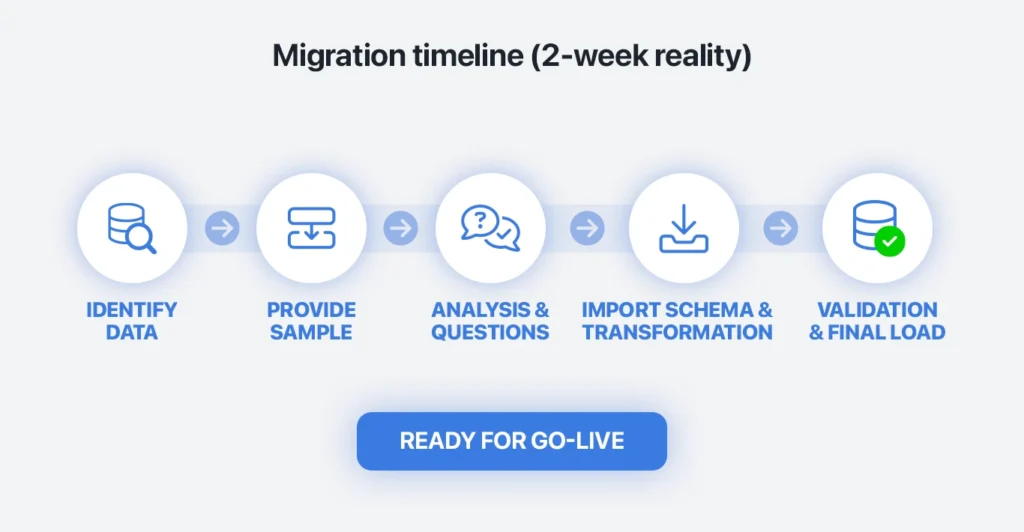
Pharma CRM data migration is a short, defined step
Migration tends to feel bigger before it starts than it does once it’s underway.
At a practical level, the work follows a defined structure. Once the scope is agreed, the process moves forward without constant rework or uncertainty. It’s not a process that keeps expanding unless the scope keeps changing.
For most organizations, the experience is closer to a focused project than a prolonged transformation effort. It gets done, and then attention quickly shifts to using the new system.
Once the initial data model is agreed and the first test migration is complete, the rest of the work becomes repeatable. Teams are not solving new problems each time. They are refining and validating what has already been mapped, which is why timelines tend to hold once the project is underway.
So, this is a repeatable process with established playbooks, not a one-off technical exercise.

What pharma CRM data migration actually looks like
In most cases, pharma CRM data migration follows a simple sequence.
First, the scope is agreed. Pharma companies decide what really needs to move into the new system, which usually means active HCP and HCO records, recent activity, current territories, and compliance-related data.
Next, that data is mapped into the structure of the new CRM. This is where duplicate records are cleaned up, old fields are dropped, and definitions are standardized.
After that, the data is loaded into a test environment and checked. The pharma company confirms that records are complete, fields are mapped correctly, and workflows behave as expected.
Once testing is complete, historical data is loaded fully before live operations begin. That avoids the problem of trying to reconcile two systems that are both changing at the same time.
Then the system is cut over. Because the preparation has already been done, go-live is a controlled switch rather than a disruptive event.
That is the process. It’s not endless, and it’s not something teams have to invent from scratch. It’s a short, structured sequence that gets quickly completed and then it’s out of the way and done.

What Pharma CRM data actually needs to move during migration?
One of the main reasons migration may feel complex is the assumption that everything in the existing CRM needs to be carried forward.
That’s rarely how successful migrations are handled.
Most pharma CRM data migration projects focus on a core set of data that supports current operations. That includes active HCP and HCO records, recent interaction history, current territory structures, and any data that needs to be retained for compliance.
When teams step back and look at actual usage, the amount of data that falls outside this group is often significant. Old promotional materials, inactive records, and legacy custom fields tend to accumulate over time without being actively used. Data for which there is no strategy or plan for usage.
Trying to migrate all of that creates work without improving the outcome. It increases mapping effort, extends testing cycles, and makes validation more complex than it needs to be.
There’s also a practical side to this. Removing low-value data early reduces the number of edge cases that need to be handled later and makes validation simpler because teams are reviewing data they actually recognize.
Teams that make an early decision to focus on relevant data find that the process becomes much easier to manage. The dataset is smaller, the mapping is clearer, and the migration moves faster as a result. It allows companies to dump their accumulated junk data.

How pharma CRM data migration improves data quality
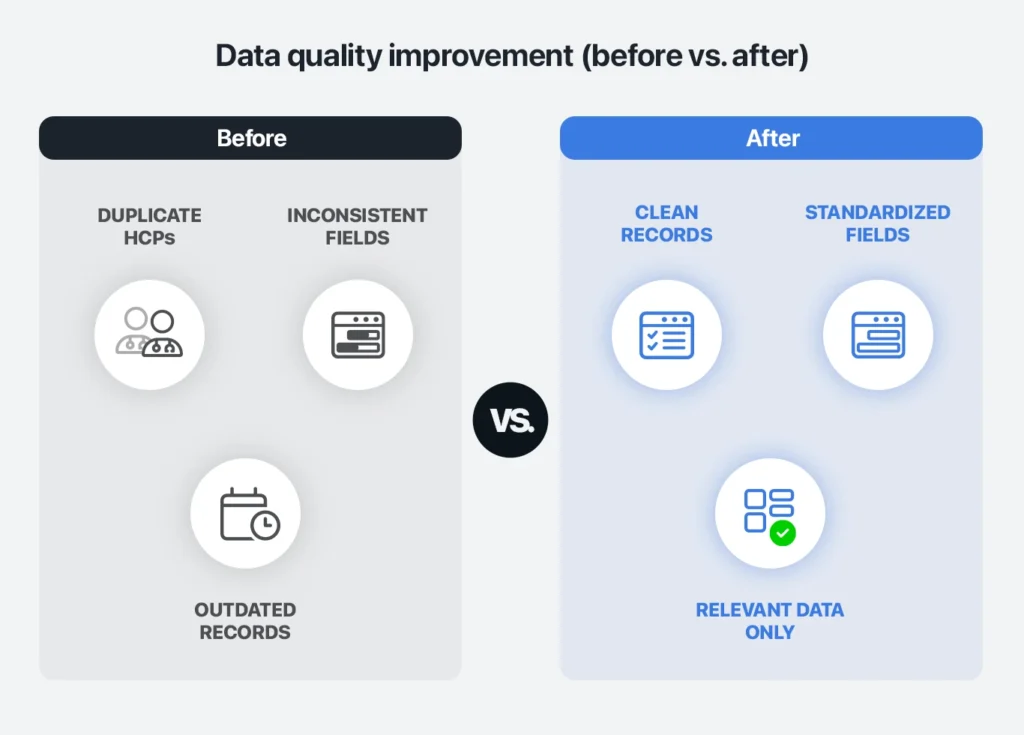
Most pharma organizations are aware that their CRM data isn’t in perfect condition. Duplicate HCP records are common, field usage varies between teams, and some records remain active longer than they should.
These issues tend to persist because fixing them in a live system is difficult. It requires coordination, and it can interfere with ongoing activity, so it often gets deprioritized.
Migration creates a structured opportunity to address this.
Before CRM data can be moved, it needs to be reviewed and mapped. That process forces decisions about which records are correct, how fields should be standardized, and what data is no longer required.
This is typically a focused exercise rather than an open-ended cleanup. Teams work through it once, agree on definitions, and apply them consistently during migration.
This is also where ownership becomes clearer. Someone has to define how data should look in the new system, and that clarity tends to carry forward after go-live.
The result is often a noticeable improvement in data quality in the new system. Duplicate records are reduced, field usage is more consistent, and irrelevant data is left behind. And it can be done very quickly, too.
Why some pharma CRM migrations can be more complex than others
The effort involved in migration depends largely on the system you are moving from.
In environments that have been heavily customized over time, especially those built on platforms like Salesforce, complexity tends to build gradually. New fields are added for specific use cases, workflows are adjusted, and integrations are layered in.
By the time migration is considered, not all of these elements are still relevant, but they still need to be understood before data can be mapped.
This is usually where companies spend a bit of time upfront. Once the structure is clear, the migration follows a standard path.
In practice, this is a one-time effort. Once the legacy structure has been reviewed and simplified, the rest of the migration becomes more straightforward because there are fewer unknowns to resolve.
More purpose-built platforms, such as Inception CRM, reduce some of this overhead by using more standardized data models and providing built-in migration support, which allows teams to move more quickly into execution.
Pharma CRM data migration and compliance: What to expect?
Compliance is always part of the discussion in a pharma environment, and it is right that it is taken seriously.
The key point is that pharma CRM data migration is already designed to handle it.
Data mapping is documented, transformations are controlled, and validation is completed before the system goes live. These are standard steps in the process, not additional layers that need to be figured out.
Because these steps are standard, they don’t introduce variability into the project. Companies know what needs to be documented and validated from the start, which keeps this part of the migration predictable.
Most of the effort is in documenting decisions and ensuring traceability, rather than overcoming technical barriers.
Will CRM data migration disrupt field teams?
A common concern is whether migration will interrupt day-to-day work for field teams.
In most cases, it doesn’t.
The majority of the work is completed before go-live. Data is prepared and tested in advance, workflows are validated, and training is delivered ahead of time. By the time the system is ready, everything has already been checked.
The transition itself is handled as a controlled switch.
For field teams, this usually means logging into a new system and continuing their work. There’s no extended downtime, and activity doesn’t need to stop.
The main adjustment is familiarity with the new interface, which tends to be a short transition when training is handled in advance and the system is aligned with the way the reps already work.
How data accuracy is ensured during CRM data migration
Data loss is one of the most common concerns raised during migration discussions.
In practice, pharma CRM data migration includes multiple stages of testing that are designed exactly to prevent this from happening.
Data is moved into test environments, checked, and compared against the source system. Record counts are verified, relationships between data are confirmed, and workflows are tested using real scenarios.
This process happens in cycles, which allows issues to be identified and resolved early.
This is why any issues are caught early. Test cycles are designed to surface mismatches before they affect live usage, which keeps the final cutover straightforward.
What happens to integrations during pharma data migration?
Pharma CRM systems are typically connected to other systems, including master data (MDM), content platforms, compliance tools, and reporting systems.
These integrations are mapped and rebuilt as part of the migration. This is standard work, and it follows the same structured approach as the rest of the process. It doesn’t sit outside the migration or introduce additional complexity when it’s handled properly.
In many cases, this is also where systems become easier to manage. Integrations that have built up over time are reviewed, simplified, and reconnected more cleanly.
The result is usually more consistent data flow and fewer manual workarounds after go-live.
How long does pharma CRM data migration take?
There is a common assumption that CRM migration will take months.
In many cases, that isn’t what happens.
For mid-market pharma companies, pharma CRM data time to launch is typically completed in 4–12 weeks with vendor support — but data migration itself takes up only 2 weeks of that timeline. The timeline is driven more by how quickly the scope is agreed than by the complexity of the data itself.
Teams that keep the scope focused usually complete migration in a single cycle without rework. This is a routine exercise for vendors that handle these projects regularly.
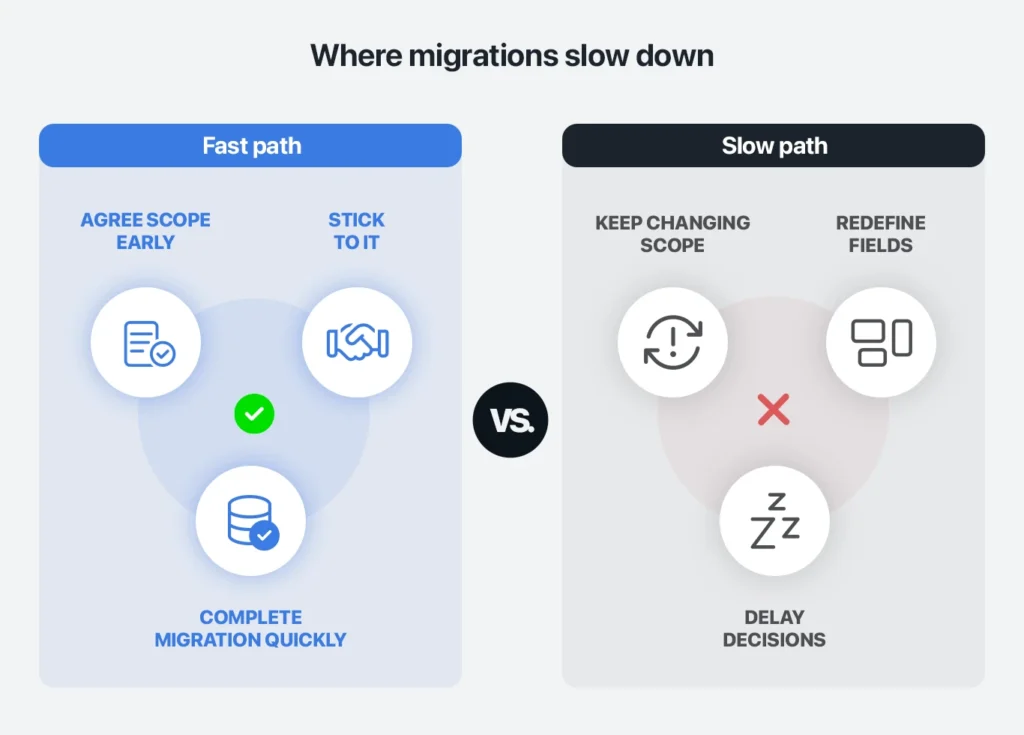
The projects that extend beyond this range are usually the ones where the scope keeps changing or decisions are delayed. Where the scope is stable, timelines tend to remain consistent.
A key step in pharma CRM data migration: load historical data first
There is one practical point that can have a significant impact on how smooth the transition is.
Historical data should be fully loaded into the new system before live operations begin.
If teams start using the new CRM while historical data is still being migrated, both systems remain active at the same time. Data continues to change in each system, which makes reconciliation more complicated than it needs to be.
Ensuring that historical data is in place before go-live keeps the transition straightforward and avoids unnecessary rework.
Where pharma data migration projects slow down (and how to avoid it)
Most delays don’t come from the migration process itself. They come from hesitation around the scope and definitions.
If teams keep revisiting what data should be included, or delay decisions on how fields should be structured, the timeline stretches. Not because the work is difficult, but because it isn’t moving forward.
Teams that move quickly tend to do two things early. They agree on what matters, and they stick to it. Once that happens, the rest of the migration follows a predictable path.
What does “migration included” mean in pharma CRM projects?
The way migration is handled varies between vendors.
In some cases, implementation is treated as a separate service, which can introduce additional cost and reliance on external partners.
Inception CRM includes migration support as part of the implementation — and for a three-year contract with Inception CRM, implementation fees are sometimes waived.
What matters is that the full process is covered. Data mapping, validation, testing, and cutover should all be included, so the migration is delivered as a complete step rather than something the customer has to manage themselves.
Pharma CRM data migration is not a reason to delay switching
Pharma CRM data migration is often overestimated.
It’s a short, structured step that gets completed as part of switching systems. It doesn’t need to be overthought, and it shouldn’t delay a decision.
If your current CRM is no longer working for you, unfounded fear of data migration is not the reason to stay with them.
Author:
Christopher Crawford is Head of Marketing at Inception CRM. He writes about the real-world strengths, weaknesses, and trade-offs of CRM and B2B software, helping teams make clearer, more informed technology decisions.
FAQ: Pharma CRM Data Migration
Common mistakes when migrating pharma CRM data include migrating too much data, unclear field definitions, and skipping proper validation. These issues usually lead to rework later. Keeping the scope tight and agreeing definitions early avoids most problems.
Preparation involves extracting relevant datasets, removing duplicates, and aligning field formats before mapping. Providing a clean sample early helps identify issues quickly and speeds up the overall migration process.
Validation checks that record counts match, key fields are populated correctly, and relationships between data are intact. This is typically done through test environments before final cutover to ensure accuracy.
Duplicate HCP records are identified and merged during the mapping and transformation stage. This ensures that each HCP has a single, accurate record in the new CRM, improving data consistency from day one.
Most CRM migrations require structured formats such as CSV or Excel files with clearly defined fields. Standardizing formats before migration reduces errors and makes mapping more straightforward.
Data is mapped to match the structure and logic of the new CRM, including workflows and field usage. This ensures that once loaded, the data supports how teams actually work rather than needing reconfiguration later.